See who is overdue.
Track which clients have not had a reply and which agent is responsible.
Premium CRM platform for real estate offices
From Istanbul to Dubai, one platform customised to the way your office works. Manage clients from WhatsApp, portals, ads and your website in one place, and see who is handling them and which opportunities turn into sales.
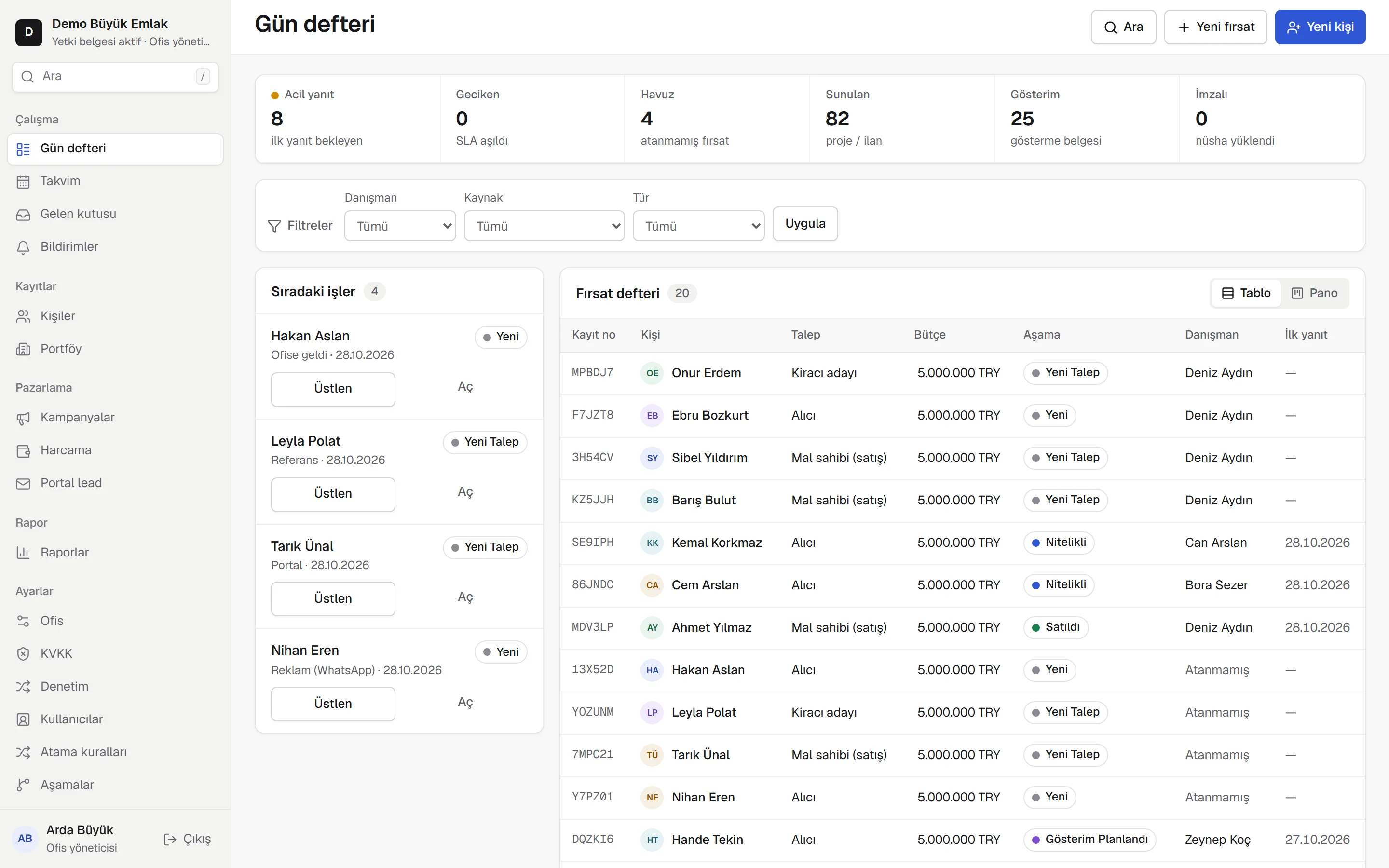
Know where every client came from
A day at the office
One client messages on WhatsApp, another comes through a portal. The agent is at a viewing, the manager is busy with something else. By the end of the day, who got a reply, who is still waiting, which deal is moving?
Relpivo puts those answers in one place.
Assignment rules route each client to an agent.
First response time and overdue work are tracked.
Calls, listings presented and next steps stay with the office.
From first message to sale
Your office sets the first response time. The client is assigned to an agent, and late replies show up in the manager's daybook.
10:02
Requests from WhatsApp, portal notifications or your web form are saved with their source. A contact and a deal open; if the client came from an ad, the campaign and ad are recorded too.
Hi, is the Dubai Marina apartment still for sale?
Enquiry about the Antalya Konyaaltı listing
Please call me about the Amsterdam Zuid flat.
New contact
Deal opened · Buyer
First response timer running · 15 min
10:03
The assignment rule runs; out of hours it goes to the agent on duty. The first response timer starts, and if it runs out the manager sees it in the daybook.
10:09
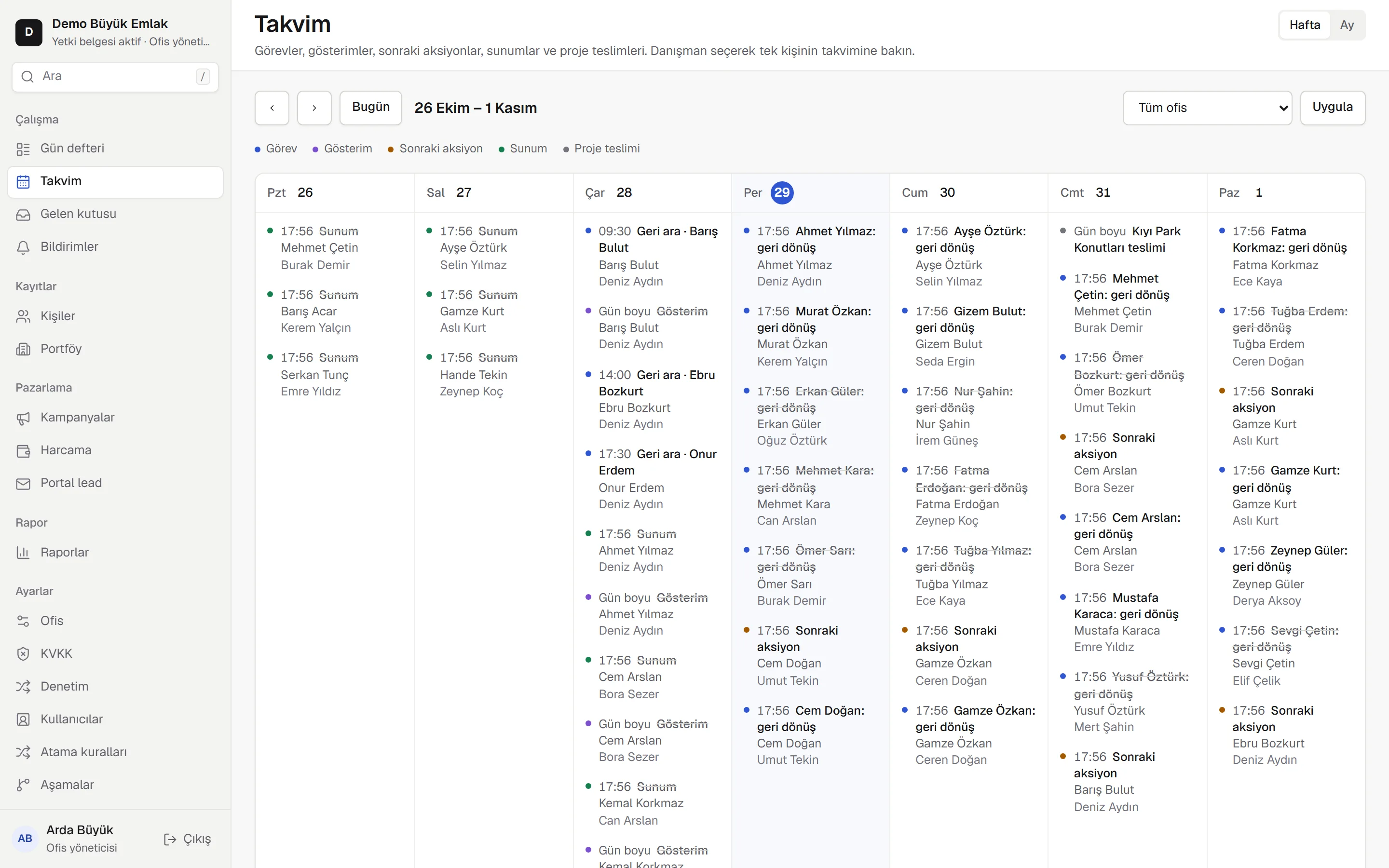
The agent picks an outcome, and the next step and reminder are created. Calls, presentations and offers build up in one timeline.
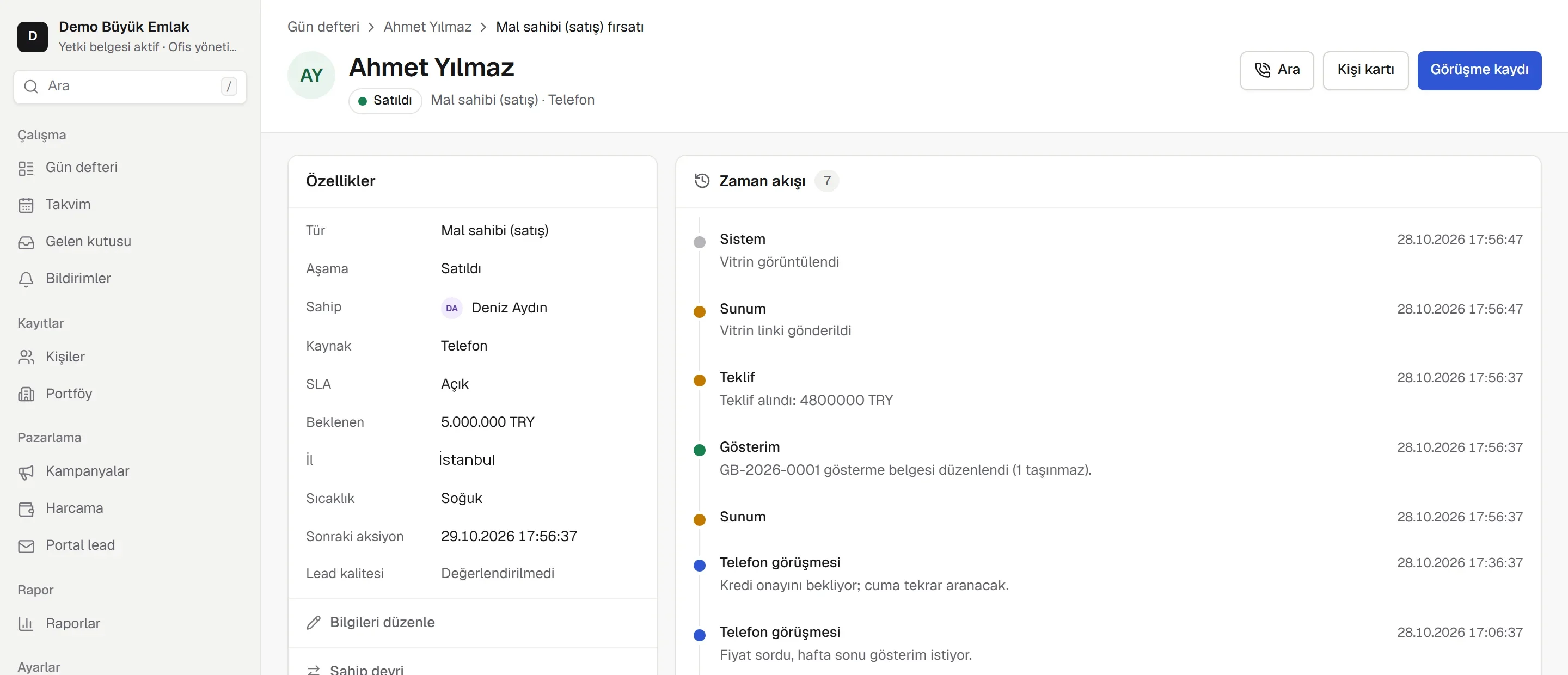
Next day
The request is matched to your portfolio, with the reasons written out. Selected listings go to the client through a time-limited showcase link.
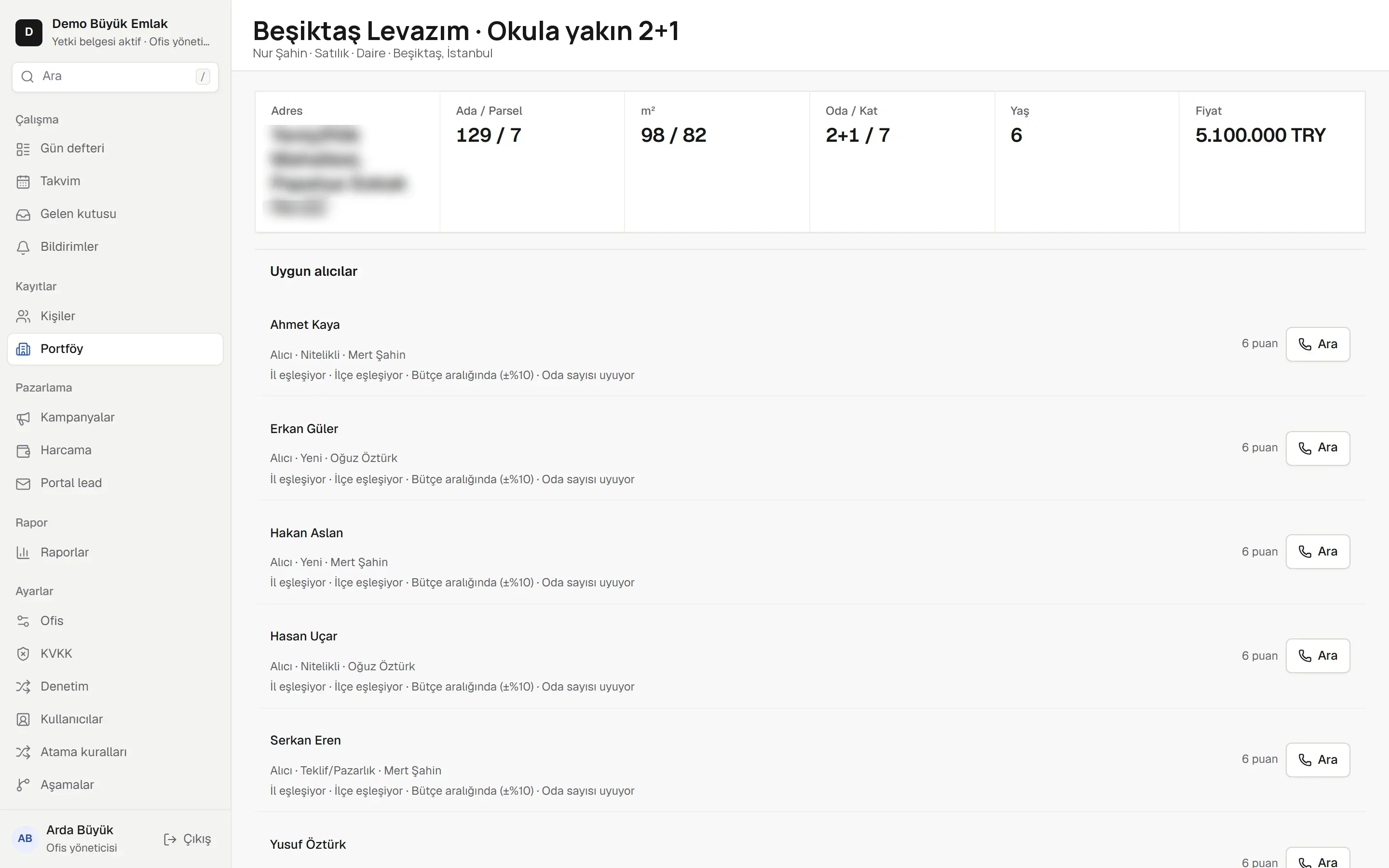
Viewing
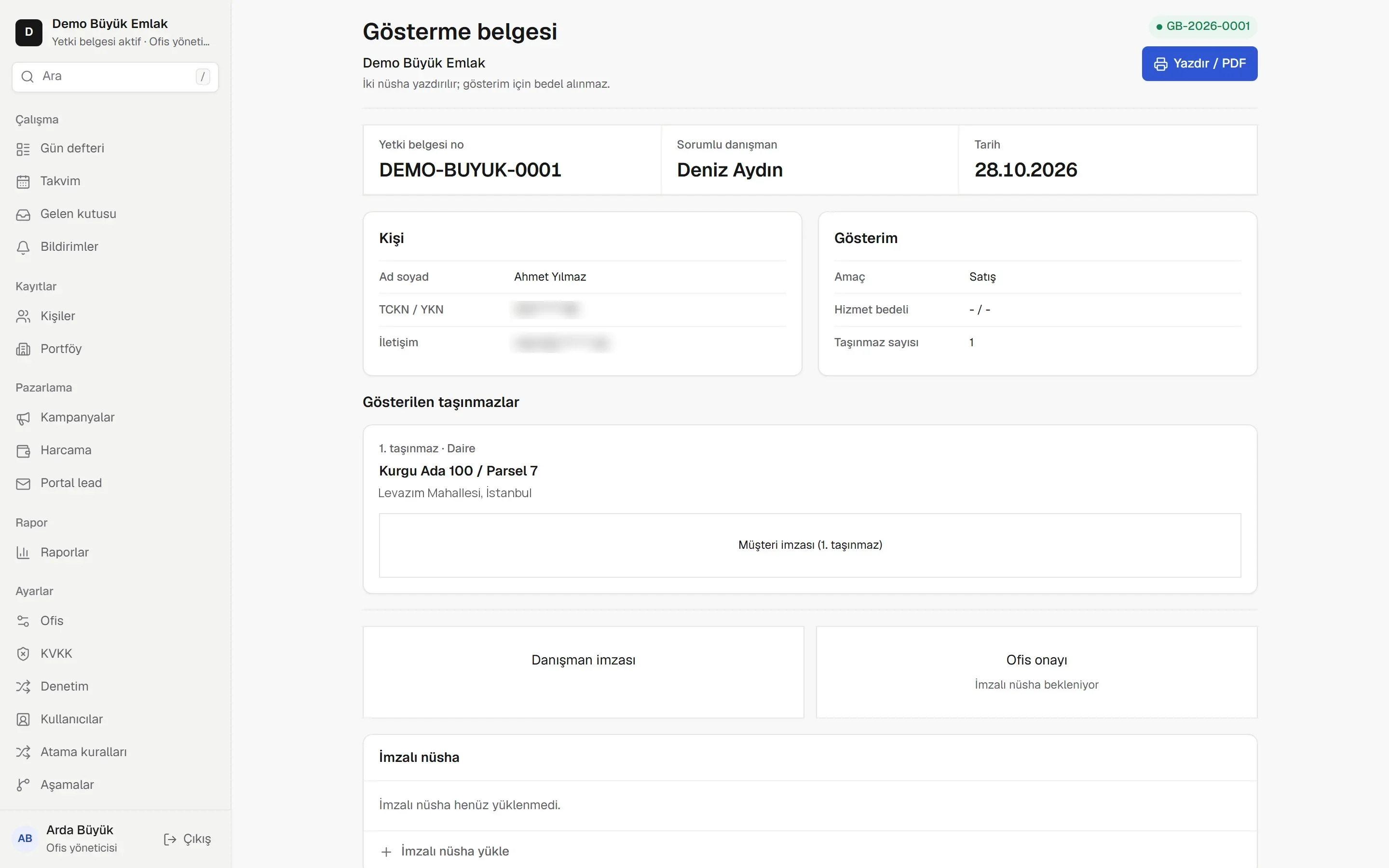
Viewing forms, offers with payment plans and contracts are filled from contact and listing records. The signed copy is added to the client's record.
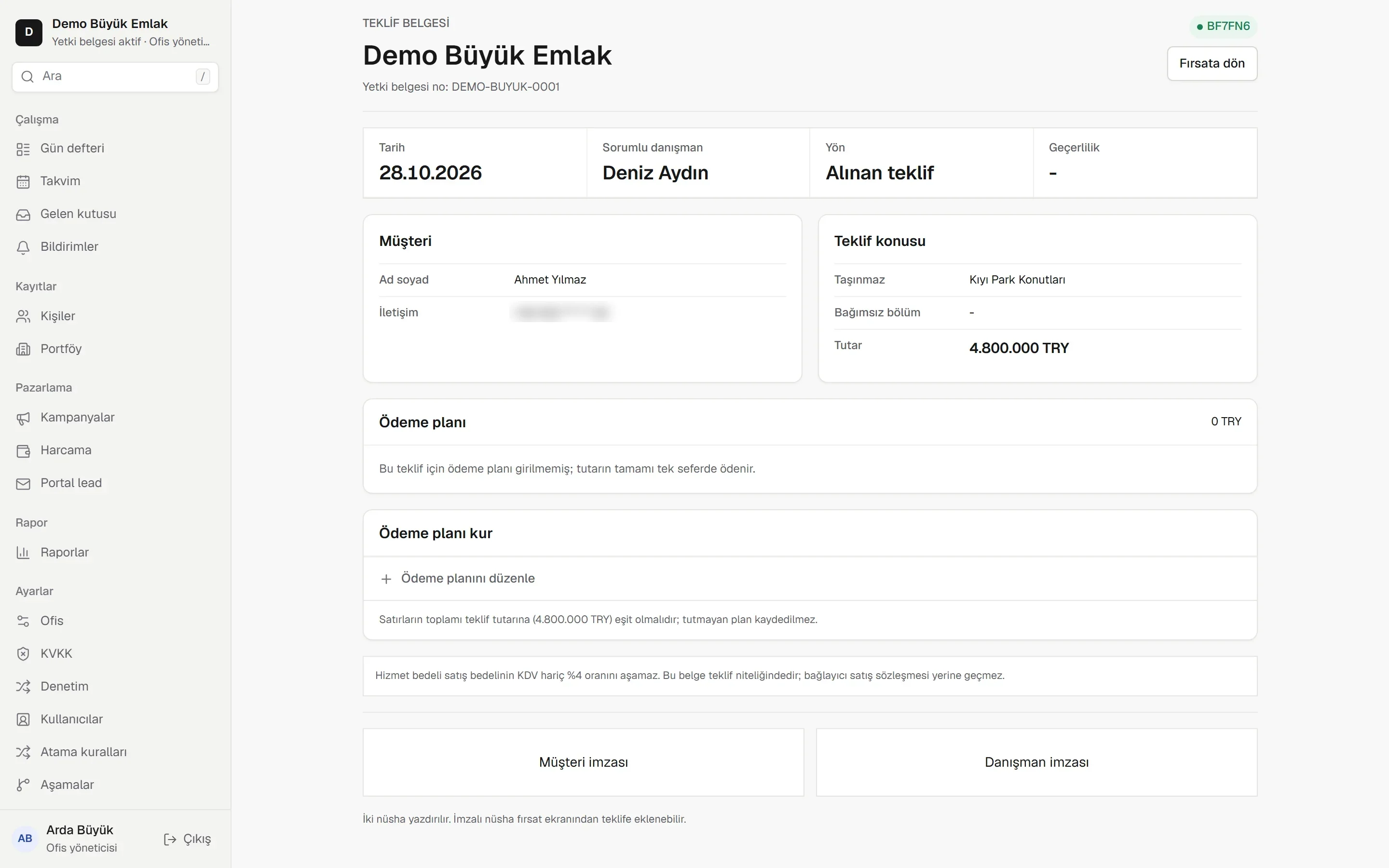
Month end
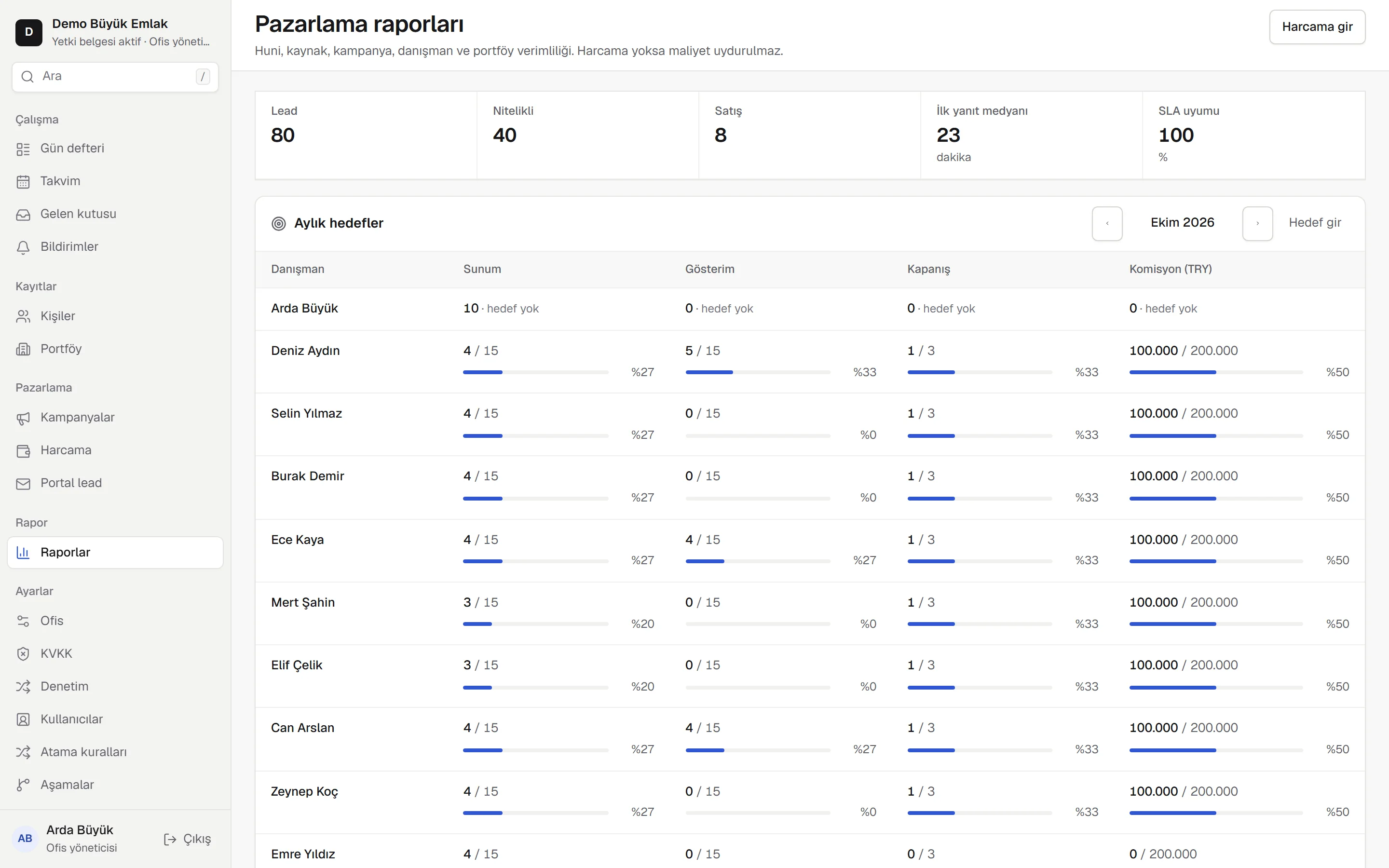
See how many clients, viewings and sales each channel and ad brought, next to each agent's target. Recorded, not estimated.
Hi, is the Dubai Marina apartment still for sale?
Enquiry about the Antalya Konyaaltı listing
Please call me about the Amsterdam Zuid flat.
New contact
Deal opened · Buyer
First response timer running · 15 min
For office owners
Track which clients have not had a reply and which agent is responsible.
When an agent leaves, call logs, listings presented and deal history stay.
Review recorded clients, viewings and sales by campaign.
One platform, three products
Language, channels, documents and working rules are customised to your market. Agents follow their own clients, managers see the whole office, and website enquiries land in the same system.
Mobile app
Agents follow their clients, today's tasks and portfolio in the mobile app, and log call outcomes on the spot.
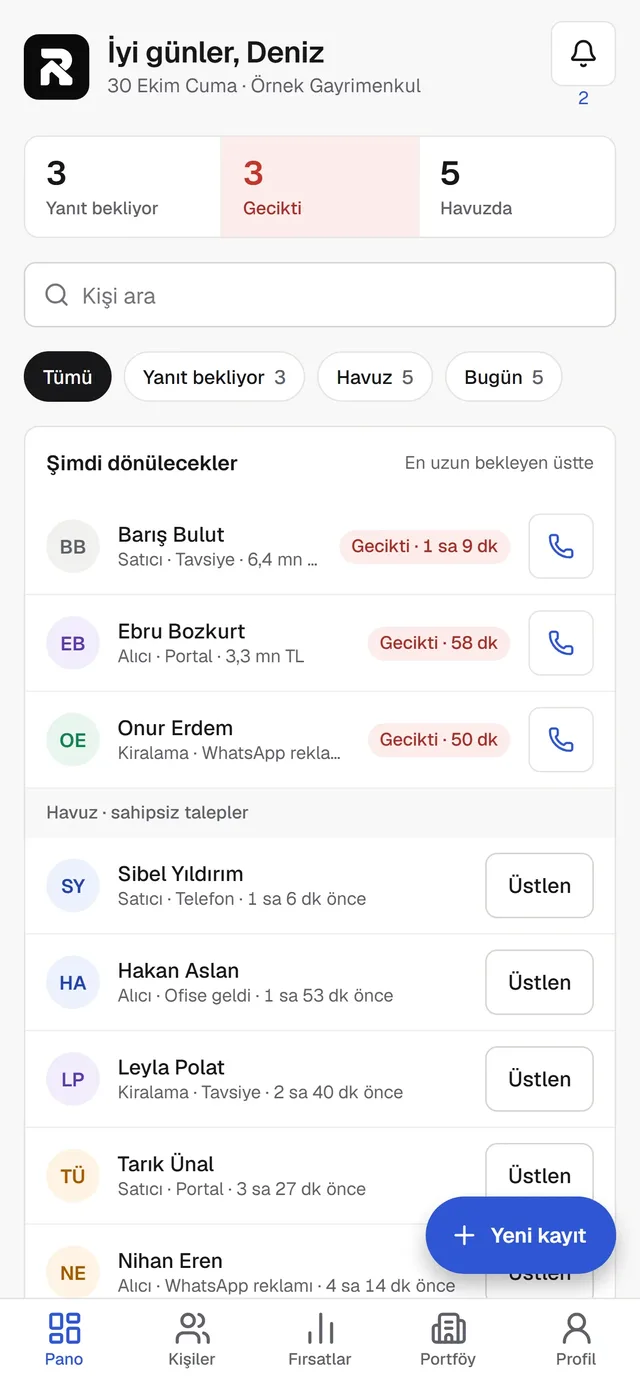
Pending replies, overdue tasks, the client pool and today's schedule.
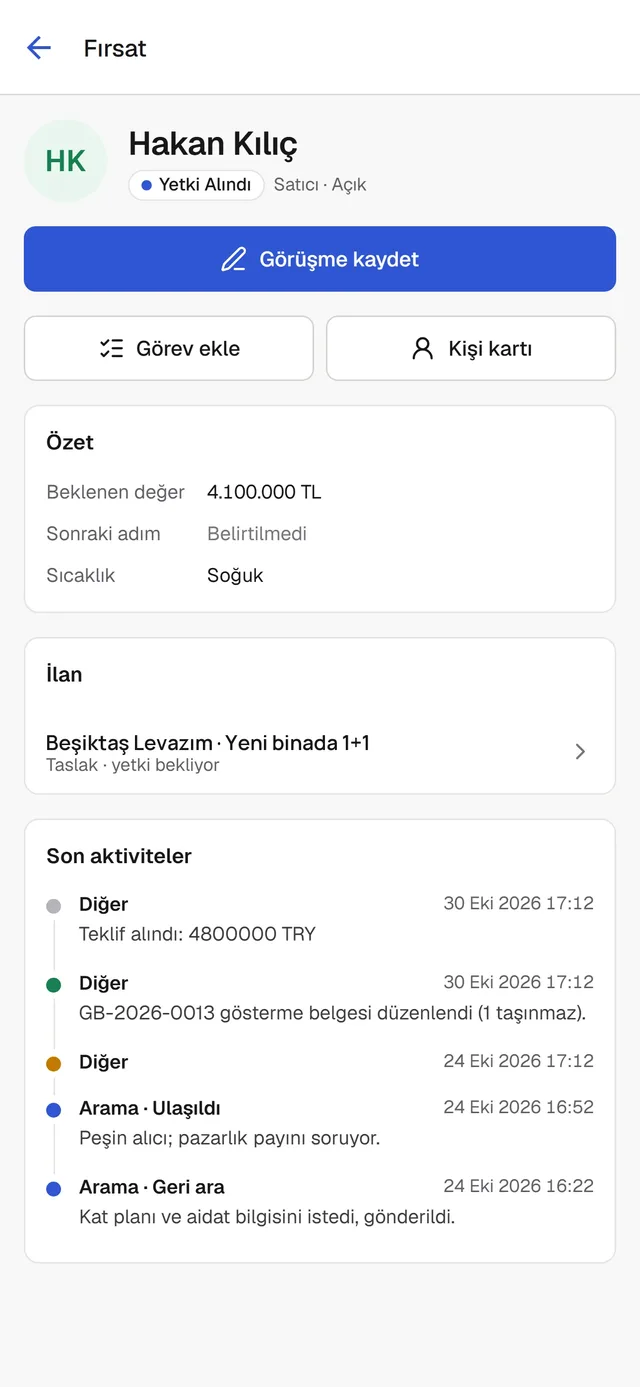
Outcome and next step after every call, with the full deal history on one screen.
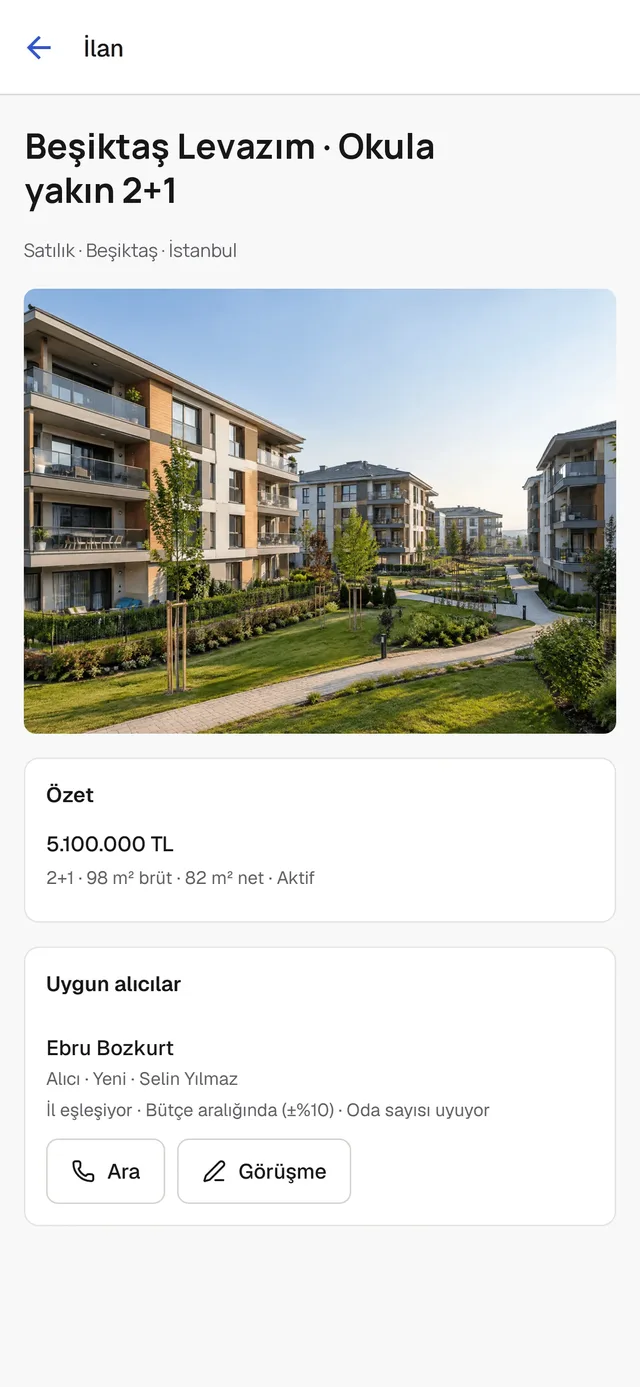
Listing details, photos and matching buyers, one tap away from a call.
Office website
Manage listings in the CRM and publish them on your website; sold listings come down. A visitor's form becomes a client record, along with the property they were viewing.
Find your home.
For sale · Apartment · Dubai Marina
2-bed with marina view
AED 2,950,000
For rent · Apartment · Amsterdam Zuid
Canal-side 2-bed
€2,400 / mo
New client · Website
Form for 2-bed with marina view
Contact and deal created, agent assigned.
Ad management · optional
Our team sets up your Facebook and Instagram campaigns and reviews them weekly. The ad account stays yours. Once spend is entered, it appears in one report with client and sales records.
Documents
Property and contact details flow into the relevant document fields. The agent checks the document, prints it and adds the signed copy to the system.
Follows client distribution, late replies, agent targets and sales reports.
Own clients, picking up from the pool, daybook, calls and documents. Cannot see other agents' clients.
Sees campaign results and sales counts; has no access to client contact details.
Client to sale, 9 areas
Whichever channel a client comes from, they land in one record with their source.
WhatsApp Business inbox · Clients from ads · Portal emails
Who should call is clear, and who has not called is visible.
Assignment rules · Pool and pick-up · First response time
Even if the agent changes, the client's story stays.
Contact card · Buyer, seller, tenant · Drag-and-drop board
From single listings to developer stock, your whole portfolio.
Listing record · AI listing copy · Showcase link for clients
Documents filled from your records, and commission clear at closing.
Viewing form · Listing agreement · Rental agreement
How many clients and sales each ad brought: recorded, not estimated.
Campaigns · Spend · Ad-to-sale funnel
Your office's own site, from the same source as your CRM listings.
Office home page · Listings and filters · Contact form to CRM
The agent's screen in the field.
Dashboard · Call and log the outcome · Quick entry
Everyone sees their own work; personal data follows the rules.
Roles · Masked marketing access · Separate offices
Frequently asked questions
Relpivo is a premium platform for real estate offices that brings a CRM, a mobile app and an office website together in one record. It is offered in Türkiye and Dubai, and language, channels, documents and working rules are customised to your market.
Relpivo is offered in Dubai as well as Türkiye. Language, channels, documents and working rules are customised to your market; if you work in another market, we discuss your needs in the demo call.
Yes. You track listings, mandate expiry dates, price history and apartment stock for developer projects. When a new listing is added, clients with a matching request are listed.
No. Client records in Excel files are imported with column mapping, and rows with errors are reported one by one. Our team helps with this during setup.
No. Agents see their own clients and unassigned clients in the pool that they can pick up. The office manager follows all office records and performance.
Your current number can be connected to Relpivo. After that, however, it can no longer be used in the WhatsApp Business app on your phone, and your old chat history is not transferred. If you want to keep using that number on your phone, you can start Relpivo with a separate number. We review your current use together before any switch.
No. Relpivo does not publish listings to portals automatically today. It reads client notification emails from Sahibinden, Hepsiemlak and Emlakjet and opens contact and deal records. We discuss the other portals in your market in the demo call.
Relpivo can publish a website on your office's domain, using the listings in your CRM. We review your current site together in the demo call.
The iOS app agents use in the field is currently in testing through TestFlight. We share the latest on store release and Android in the demo call.
Relpivo is a monthly subscription per office. The package includes a set number of agents and the office website; additional agents cost extra. Setup and data migration are a one-time fee, and WhatsApp messaging charges are shown separately and clearly. We share an offer after the demo call.
No. Meta ad management is optional and provided by Intellova. It has a separate monthly service fee, and the ad budget is yours. You can also keep working with your own agency.
After the demo call we may offer a pilot to suitable offices. Its scope is discussed in the call according to your office's needs.
Demo
First we listen to how your office works, then we show the platform through real workflows.
Needs call. We talk through your workflow, client sources and team.
Product demo. We walk through the flow on screen, from a client's first message to the sales report.
Next step. We share an offer that suits your office; suitable offices may be offered a pilot.